How to Make Product Ads With AI for TikTok and YouTube-for (Almost) Free
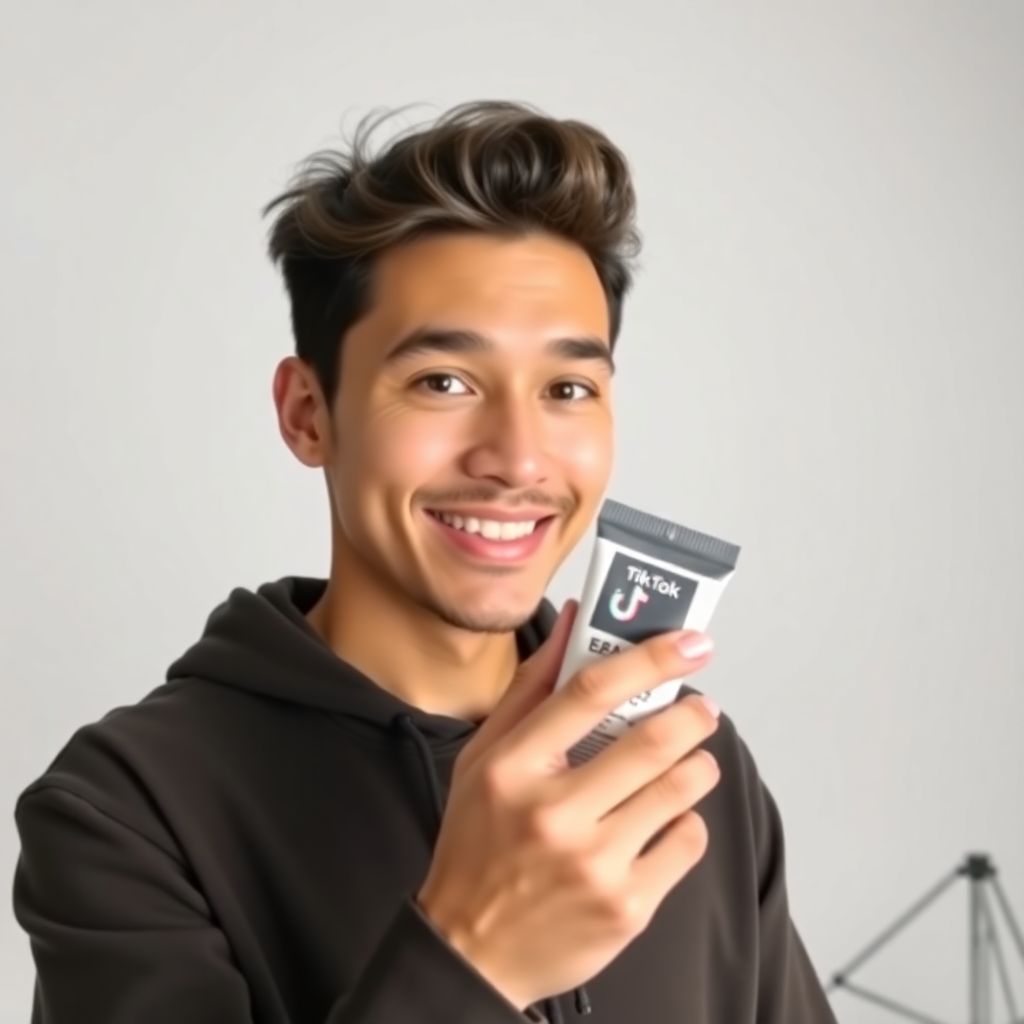
TikTok Shop has quietly turned into a sales machine. In 2025, it pushed roughly $64.3 billion worth of products-almost double the year before. The U.S. alone was responsible for about $15.1 billion, driven not by glossy brand campaigns, but by simple, fast, face-to-camera clips: someone holding a product, talking straight into the lens, and giving you a reason to tap “Buy.”
What used to require a person, decent lighting, a camera, and multiple retakes can now be done with a single product photo and a handful of AI tools-many of them free or freemium. With about 20-30 minutes of work, you can generate a complete, ready-to-post ad for TikTok, YouTube Shorts, Instagram Reels, or any other vertical video platform.
Below is a full, beginner-friendly workflow: no production studio, no on-camera talent, no deep technical expertise required.
—
Step 1: Start With a Clean, High-Quality Product Image
Before you touch any AI tool, you need one solid image of the product you want to sell. The final video will only look as good as this starting point.
You have a few options:
– Shoot it yourself:
– Use your phone camera in “Portrait” mode if available.
– Place the product on a simple, uncluttered surface (white table, wooden desk, or neutral background).
– Ensure good lighting: natural daylight near a window is often better than a harsh ceiling light.
– Take several angles: front, 45° angle, side, close-up of key features. You can feed different shots into AI later to get variety.
– Use manufacturer or supplier images:
– If you’re doing dropshipping or affiliate marketing, pull the highest-resolution product image available.
– Avoid images that already have heavy text overlays, logos, or watermarks; AI tools will often distort or smear them.
– Polish the image with AI:
Many image tools now offer background removal, upscaling, and enhancement for free or with a small credit system. Look for features like:
– “Remove background”
– “Clean up” or “Erase objects”
– “Upscale” or “Enhance resolution”
Your goal: a sharp, well-lit image where the product is clearly visible and not competing with a messy background. A clean product shot gives the AI more reliable data to work with when you animate it or build scenes around it.
—
Step 2: Use AI to Generate a Script That Actually Sells
You don’t need to be a copywriter to create a compelling script. An AI text generator can handle 90% of the work-but only if you give it the right input.
Feed the AI a short brief that includes:
– What the product is
– Who it is for
– The main benefit (not just the feature)
– Where the ad will run (TikTok, YouTube Shorts, etc.)
– Desired tone (casual, playful, authoritative, luxury, etc.)
– Length: 15 seconds, 30 seconds, or 60 seconds
Example prompt you could adapt:
> “Write a 25-second TikTok ad script for a [product type] aimed at [audience]. Focus on [main problem it solves]. Use a casual, conversational tone and finish with a clear call to action to click the link or buy now.”
Ask the AI to structure the script into:
1. Hook (first 1-3 seconds)
– A bold claim, question, or problem statement.
– Examples:
– “Stop wasting money on skincare that doesn’t work.”
– “If your phone battery dies before lunch, you need this.”
2. Value (10-15 seconds)
– What the product does and why it’s different.
– Focus on outcomes: saves time, saves money, reduces pain, makes life easier, looks better, feels premium.
3. Proof or credibility (5-10 seconds)
– “Used by over 10,000 customers.”
– “Designed by dermatologists.”
– “Made from 100% recycled materials.”
– Social proof, unique mechanism, or a quick mini-testimonial.
4. Call to action (last 2-3 seconds)
– “Tap to grab yours while it’s on sale.”
– “Link in bio to order today.”
Once you have a first draft, shorten it. Short-form platforms reward tight, punchy messaging. If you’re aiming for 20 seconds, write for 15, because AI voiceovers and pacing will often stretch the time.
—
Step 3: Turn the Script Into a Human-Sounding Voiceover With AI
Next, you need a voice that sounds like a real person talking to the camera. AI voice generators now offer natural-sounding voices with various accents, ages, and tones-often with a free tier.
Key tips when using an AI voice tool:
– Choose the right persona
– For beauty or lifestyle products: friendly, warm, relatable voice, often female or neutral.
– For tech gadgets or B2B tools: confident, clear, slightly more serious tone.
– For gaming or youth-focused products: energetic, informal, maybe with a younger sound.
– Adjust speed and emphasis
– Slightly faster delivery tends to perform better on TikTok and YouTube Shorts.
– Use punctuation in your script to control pacing:
– Short sentences.
– Periods, commas, and line breaks to avoid a monotonous block of speech.
– Generate multiple takes
– Try 2-3 different voices or energy levels.
– Listen for clarity on essential words: product name, key benefit, and call to action.
Export the audio file in a common format like MP3 or WAV. This will be the spine of your video: every scene and graphic will sync around this voiceover.
—
Step 4: Use AI Video Tools to Build the Visuals
Here’s where the magic happens. With your product image and voiceover ready, you can use an AI video editor or text-to-video tool to produce the actual ad. Most work in three main ways:
1. Image-based scenes
– You upload your product photo, and the tool animates it with zooms, pans, or 3D-like movement.
– You can add background environments (kitchen, bathroom, desk setup, gym, etc.) generated by AI.
2. AI avatars or virtual presenters
– A digital presenter appears on screen, lip-syncing your script.
– This can simulate the classic “face-to-camera” TikTok video without you having to film yourself.
3. Text and graphic overlays
– Bold text on screen to reinforce the hook and main claims.
– Arrows, highlights, or stickers pointing at features of the product.
For a beginner-friendly workflow:
– Start a vertical video project (9:16 aspect ratio).
– Import your AI voiceover and set it on the main audio track.
– Upload your product image and create 3-5 short scenes:
– Scene 1 (Hook): Close-up zoom on the product with big text: “Tired of [problem]?”
– Scene 2-3 (Benefits): Product at an angle with background related to usage; short benefit text on each scene.
– Scene 4 (Proof): Overlay reviews, ratings (if you have them), or a quick “Trusted by thousands” line.
– Scene 5 (CTA): Product centered, simple background, clear call-to-action text.
Allow the AI to suggest transitions and animations. Then manually adjust any move that feels too slow, too busy, or offbeat with the voiceover.
—
Step 5: Add Music, Captions, and Sound Design
Sound is a huge part of what makes short-form ads feel native to TikTok and YouTube Shorts. Even a basic AI-generated voiceover gets a massive uplift from the right background audio.
– Music
– Choose an upbeat but not overpowering track.
– Match the energy of the script: high-energy for fitness, chill for wellness, classy for luxury items.
– Lower the music volume so it sits nicely under the voiceover; the words must remain crystal clear.
– Captions and on-screen text
– Many viewers will see your ad muted, especially on YouTube and when autoplaying in feeds.
– Use auto-caption tools or AI transcriptions to generate subtitles.
– Customize the style: bold, high-contrast colors that fit your brand but remain legible on small phone screens.
– Extra sound effects
– Light sound design can make the video more dynamic:
– “Pop” or “whoosh” when the product appears.
– “Click” sound when highlighting a button or feature.
– Don’t overdo it-one or two tasteful effects are enough for a short ad.
—
Step 6: Edit for Speed and Retention
Short-form platforms reward videos that keep people watching all the way through. AI tools will give you a decent first cut, but you should manually tighten it.
Focus on:
– The first 2 seconds
– Make sure the hook starts instantly-no fades from black, no long logos.
– Viewers should instantly see either the product or the problem you’re solving.
– Pacing
– Remove any pauses where nothing is happening visually.
– Align visual changes with the rhythm of the voiceover and music.
– Every time the script mentions a benefit, something on screen should change: new shot, new text, or a zoom.
– Length
– For TikTok Shop and YouTube Shorts, ads under 30 seconds often perform best.
– Test multiple lengths: a 15-second “punchy” version and a 30-second “explainer” version.
—
Step 7: Export and Format for TikTok and YouTube
When you’re happy with the cut, export the video with settings that work across all major platforms:
– Aspect ratio: 9:16 (vertical)
– Resolution: 1080×1920 or higher
– Frame rate: 30 fps or 60 fps
– Format: MP4 is the safest bet
Name your file descriptively (including the product name and version). That makes it easier to track performance later when you run multiple variations.
—
Step 8: Post Like a Marketer, Not Just a Creator
Uploading the video is only half of the job. The way you package it on TikTok or YouTube Shorts can make a noticeable difference.
– Title (YouTube Shorts) and caption (TikTok)
– Front-load the main benefit or hook.
– Include the problem you’re solving and at least one keyword people might search for.
– Keep it readable and human, not stuffed with random tags.
– Hashtags
– Use 3-6 relevant hashtags: product category, use case, and audience.
– Mix broad tags (#skincare, #phonecase) with specific tags (#acnepatch, #magneticholder).
– Thumbnail (especially for YouTube Shorts)
– Use a frame where the product is clearly visible and text is big and readable.
– Avoid clutter; think of how tiny it will look on a phone screen.
– Call to action in description
– Repeat what you said in the video: “Get yours today,” “Limited stock,” “Discount for first buyers.”
– Remind viewers what outcome they’ll get by purchasing, not just what the product is.
—
Step 9: Iterate Using Data and AI
The advantage of AI-generated content is that you can produce multiple variations very quickly. Rather than betting everything on one ad, turn the workflow above into a testing machine.
Test variations of:
– Hooks: question vs. bold claim vs. “before/after” framing.
– Scripts: focus on different benefits (price, convenience, status, health, etc.).
– Voice styles: more energetic vs. more relaxed.
– Visuals: different backgrounds, colors, angles of the product.
Once you have a few days of performance data, identify which version gets the highest watch time and click-through rate, and use that as the new “base” version. Then ask your AI tools to generate fresh variations from that winning angle.
—
Advanced Tips to Make AI Ads Feel Less “AI” and More Human
To stand out in feeds filled with polished yet generic content, aim for videos that feel personal and specific, even if they’re AI-generated.
– Use real customer language
– Feed the AI snippets of authentic reviews or messages and ask it to base the script tone on that language.
– The result: less corporate, more conversational.
– Add micro-stories
– Instead of saying “This bottle keeps water cold,” say: “I left this bottle in a hot car for four hours and the water was still icy.”
– Ask the AI to rephrase features as tiny real-life scenarios.
– Include subtle flaws
– Perfectly symmetrical, overly slick visuals can scream “AI.”
– Slight imperfections-natural camera movements, quick cuts, hand-drawn style icons-can make the content feel more organic.
– Blend AI output with small real-life assets
– Even a 2-second real clip of someone’s hand placing the product on a table, combined with mostly AI scenes, can boost credibility.
– If you’re comfortable, record a quick selfie saying the hook, then let AI handle the rest of the explainer.
—
Cost Breakdown: How “Almost Free” Is It Really?
Used smartly, this workflow can be extremely budget-friendly, especially compared with paying for a full production:
– Image tools: Often free for basic background removal and enhancement.
– Script generation: Many AI writing tools offer free tiers with enough tokens for multiple ads.
– Voice generation: Freemium models typically allow a set number of minutes per month at no cost.
– Video creation: Some platforms provide watermarked exports for free and paid tiers for watermark-free HD exports; others offer limited free credits.
If you’re just starting, you can:
1. Stay within free tiers to learn the process.
2. Pay a small monthly fee for 1-2 tools that bring the biggest quality jump (usually voice and video).
3. Scale costs only when you see that your ads are actually converting into sales.
—
Turning This Workflow Into a Repeatable System
The real leverage comes when you treat this not as a one-off experiment but as a repeatable system:
1. Product in, brief out: For every new product, fill a simple template: audience, key benefit, tone, video length.
2. Script batch: Generate 3-5 AI scripts at once.
3. Voice batch: Turn each script into a voiceover in 2-3 different voices.
4. Video batch: Use templates inside your video tool so each new ad only needs swapping images, text, and audio.
5. Testing and tracking: Maintain a simple sheet with versions, hooks used, and performance metrics.
Over time, you’ll discover patterns: certain hooks that always work for your niche, specific voice types your audience responds to, or visual styles that get people to stop scrolling. AI helps you find those patterns cheaper and faster than traditional production.
—
With one good product photo, three well-chosen AI tools, and a structured workflow, you can create TikTok and YouTube product ads that look like they came from a dedicated marketing team-without buying a camera, hiring a model, or renting a studio. The barrier to entry has never been lower; what matters now is how quickly you can test, learn, and iterate.